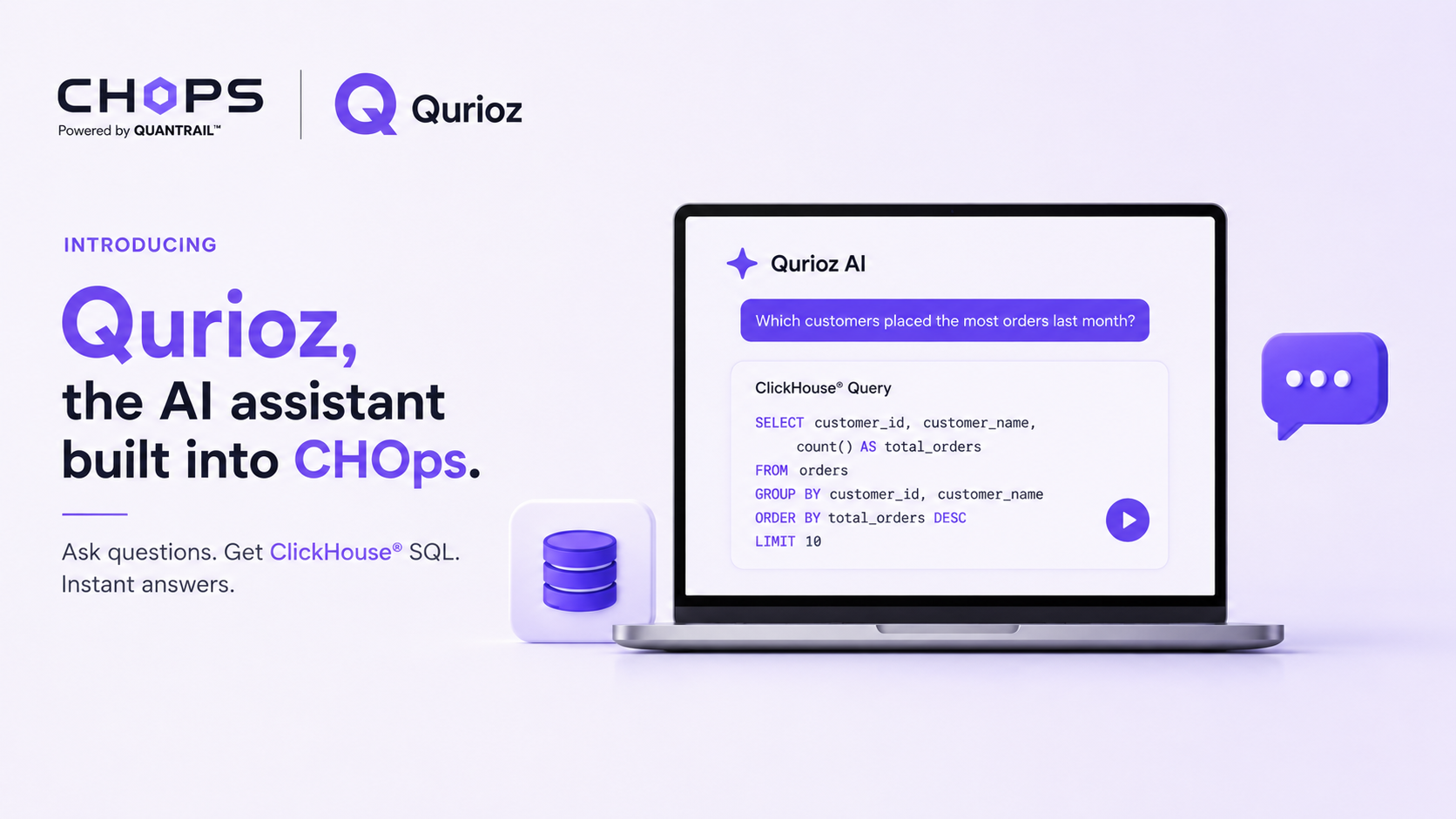
Introducing Qurioz, the AI assistant built into CHOps.
What is CH-Ops?
CH-Ops is a browser-based operations platform for ClickHouse®. Instead of relying entirely on the command line or HTTP API, it provides a visual interface for managing your ClickHouse® deployment. From running SQL queries and monitoring cluster health to managing users, backups, alerts, and dashboards, CH-Ops brings operational tasks into a single web application. It stores its own configuration in a local SQLite database without modifying your ClickHouse® data unless you explicitly execute queries.
Every team that runs ClickHouse® has the same bottleneck. The data is there, the questions are obvious, and the answers are three or four hours away because someone has to remember which of the 200 tables holds the events, whether the timestamp column is event_time or created_at, and how to phrase a conditional count without accidentally scanning a billion rows.
ClickHouse® is fast, but its SQL has a dialect of its own. countIf instead of COUNT(CASE WHEN ...). uniq when an approximate distinct is good enough and uniqExact when it isn't. FINAL to read the deduplicated state of a ReplacingMergeTree. ANY JOIN when you want one match instead of a fan-out. None of it is hard once you know it. All of it is a wall when you don't.
That wall is what Qurioz removes.
What Qurioz is?
Qurioz is the AI assistant built into CHOps. It turns plain questions about your data into ready-to-run ClickHouse® SQL, without leaving the app. You ask a question the way you'd ask a colleague, Qurioz writes the query against your actual schema, runs it, and shows you the rows. You can then edit the query, chart the result, or pin it to a dashboard.
New team members get productive on an unfamiliar schema in minutes instead of weeks. Experienced engineers skip the part where they look up column names for the fortieth time.
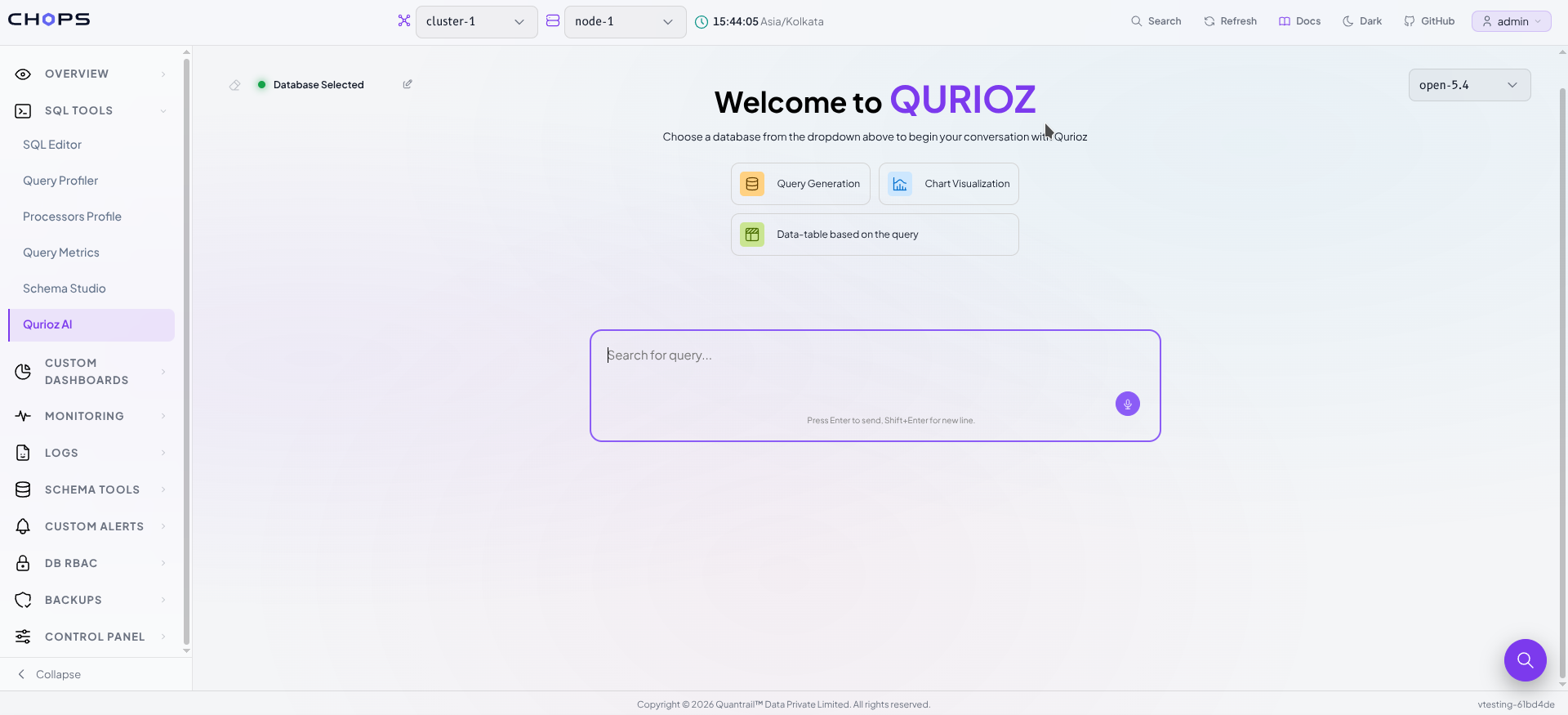
You'll find it in the sidebar under SQL Tools → Qurioz AI.
Getting set up
Three things need to happen once. The first two are admin tasks; after that, anyone on the team can ask questions.
1. Add an AI provider key
Qurioz talks to a model you choose. Go to Control panel → AI API Keys and find the Qurioz API Key Manager. It supports Gemini, OpenAI, Mistral, Claude, and Ollama, and you can store up to four keys and switch between them.
Paste your key and press Verify AI API Key. The Save Key button stays disabled until verification passes a deliberate choice, so you find out the key is wrong here rather than halfway through your first question. Keys are encrypted before they're stored.
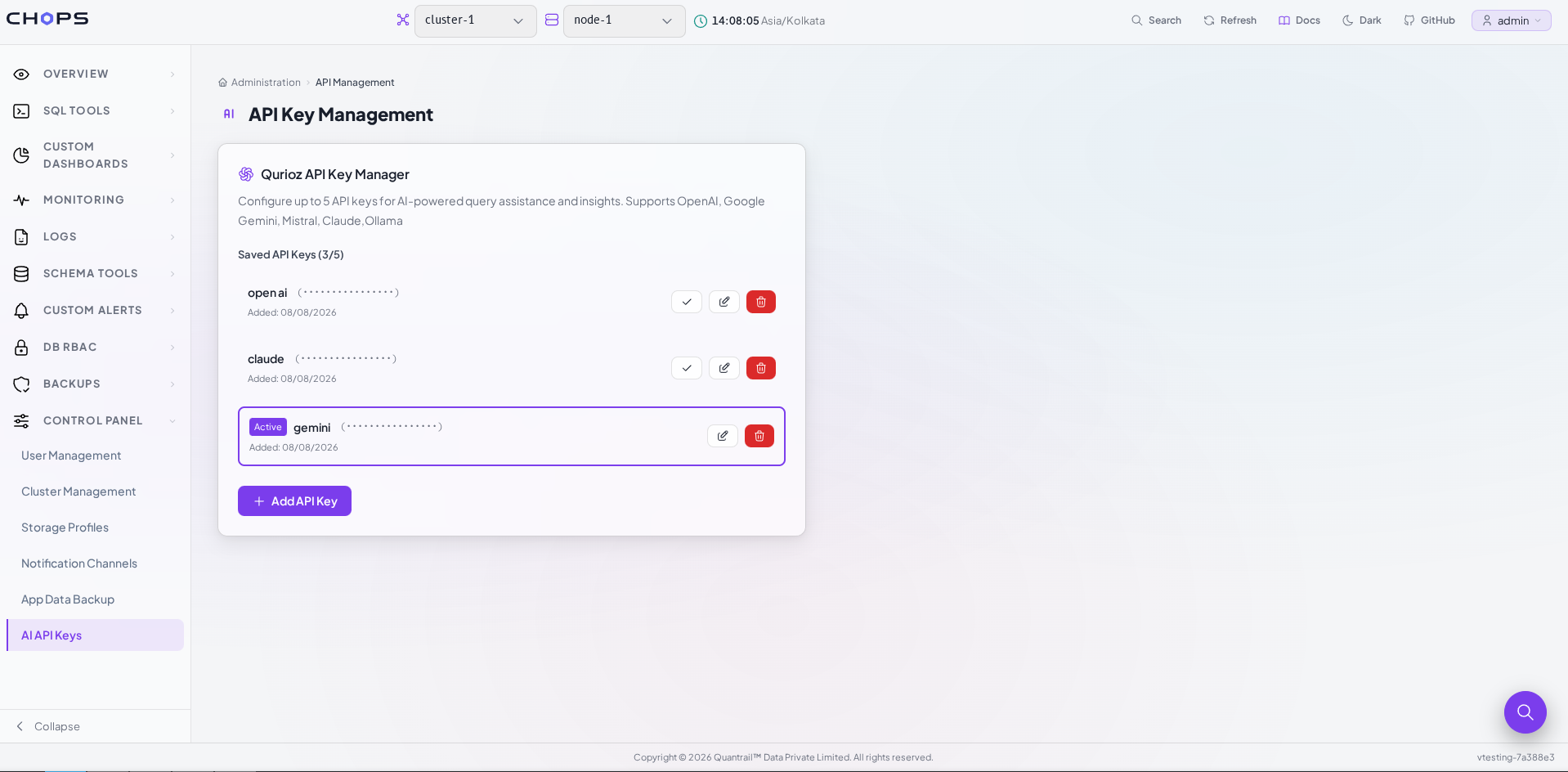
This page is admin-only. If you're not an admin you'll see "API key management is only available for administrators."
2. Connect your ClickHouse® cluster
If you're already using CHOps, this is done. If not, Control panel → Cluster Management is where you add a cluster and its nodes host, port, user, password, and an HTTPS toggle, with a per-node connection test.
3. Generate the schema
This is the step that makes Qurioz specific to your database rather than generically knowledgeable about SQL.
Open SQL Tools → Qurioz AI. Next to the status pill reading Database Not Selected, click the pencil icon. The Database Schema Generator opens, listing every database on the connected node. Select the ones you want Qurioz to know about there's a Select All toggle if you want everything and click Add Schema.
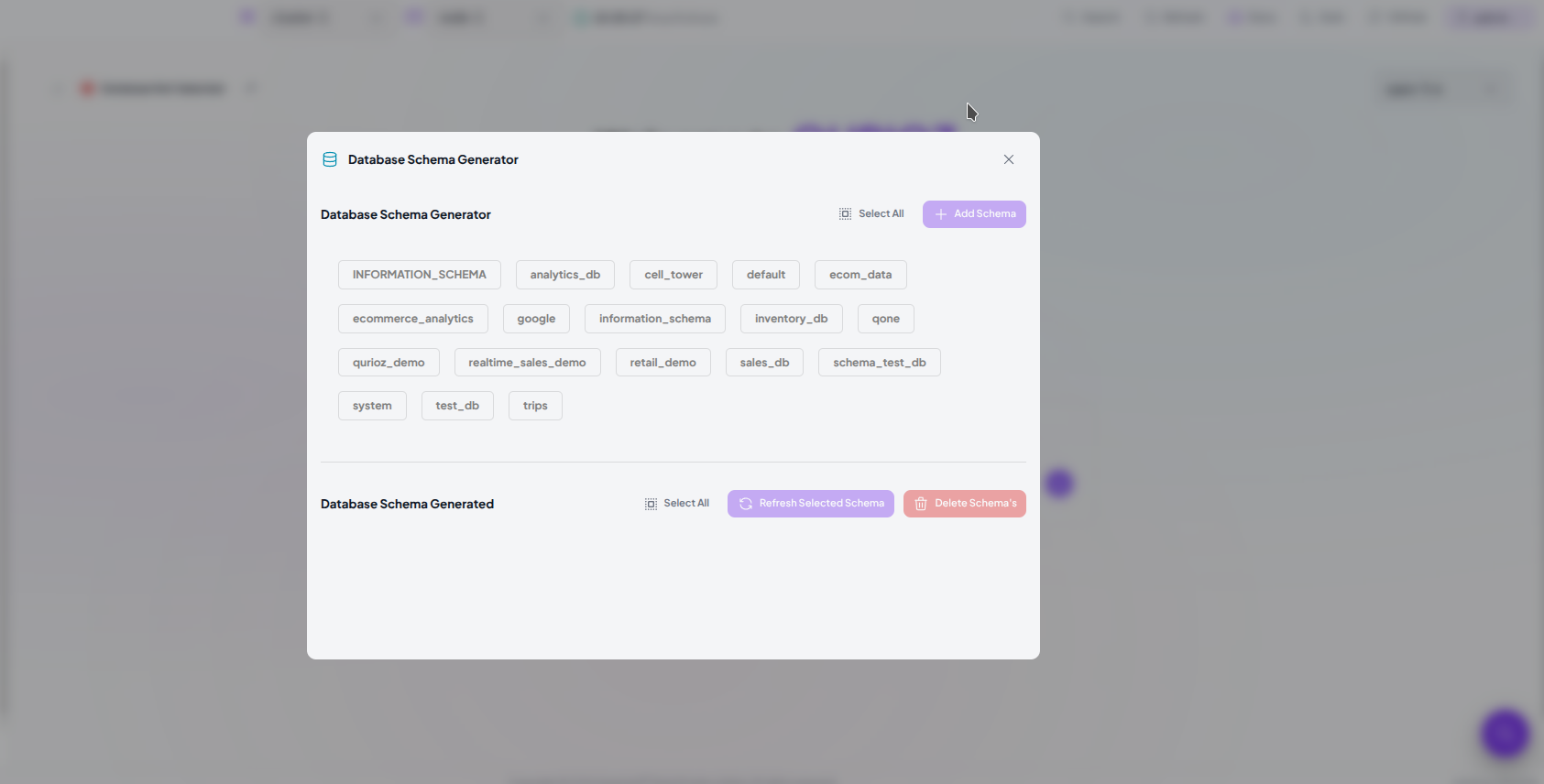
Qurioz reads the structure of those databases and indexes it. When it's done you'll see "Database ID is created successfully!" and the pill flips to Database Selected.
Schemas change, so the same modal has Refresh Selected Schema to re-read a database after you've added tables or columns, and Delete Schema's to remove one entirely.
Asking your first question
Type into the box marked Search for query... and press Enter. (Shift+Enter gives you a new line if the question is long.)
Ask it the way you'd say it out loud:
Which customers placed the most orders last month?
Show me the 20 slowest queries in the last 24 hours
How many unique users hit the API each day this week?
Qurioz works out which tables are relevant, writes the query, and shows it in a block headed ClickHouse® Query then runs it immediately and renders the rows underneath. There's no separate Run button to hunt for; the result is just there.
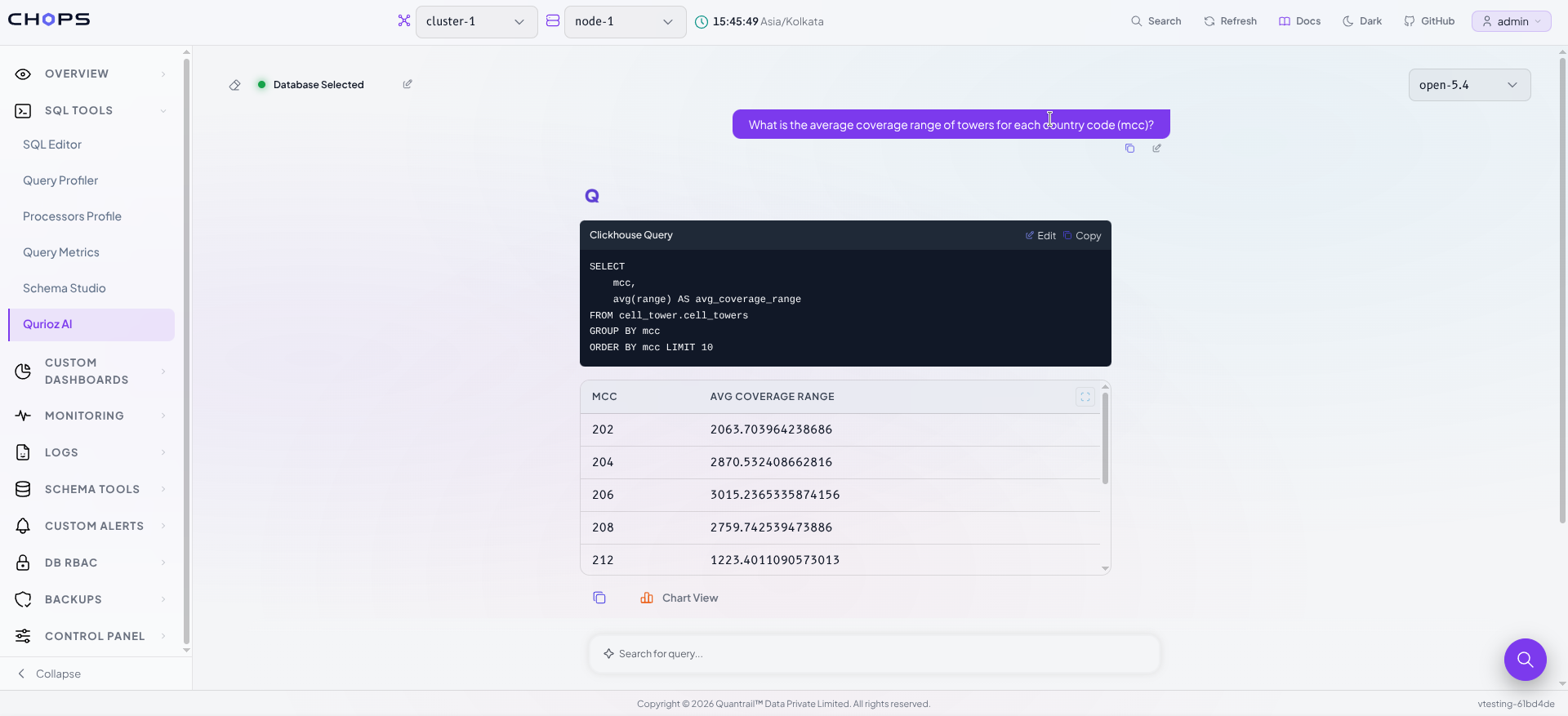
If the query returns nothing you'll get "No data found. Please check the SQL query and try again." rather than an empty void. If it fails outright, you get the error and a Retry button.
Refining the answer
The first query is a starting point, not a verdict. Qurioz is built around the assumption that you'll want to adjust it.
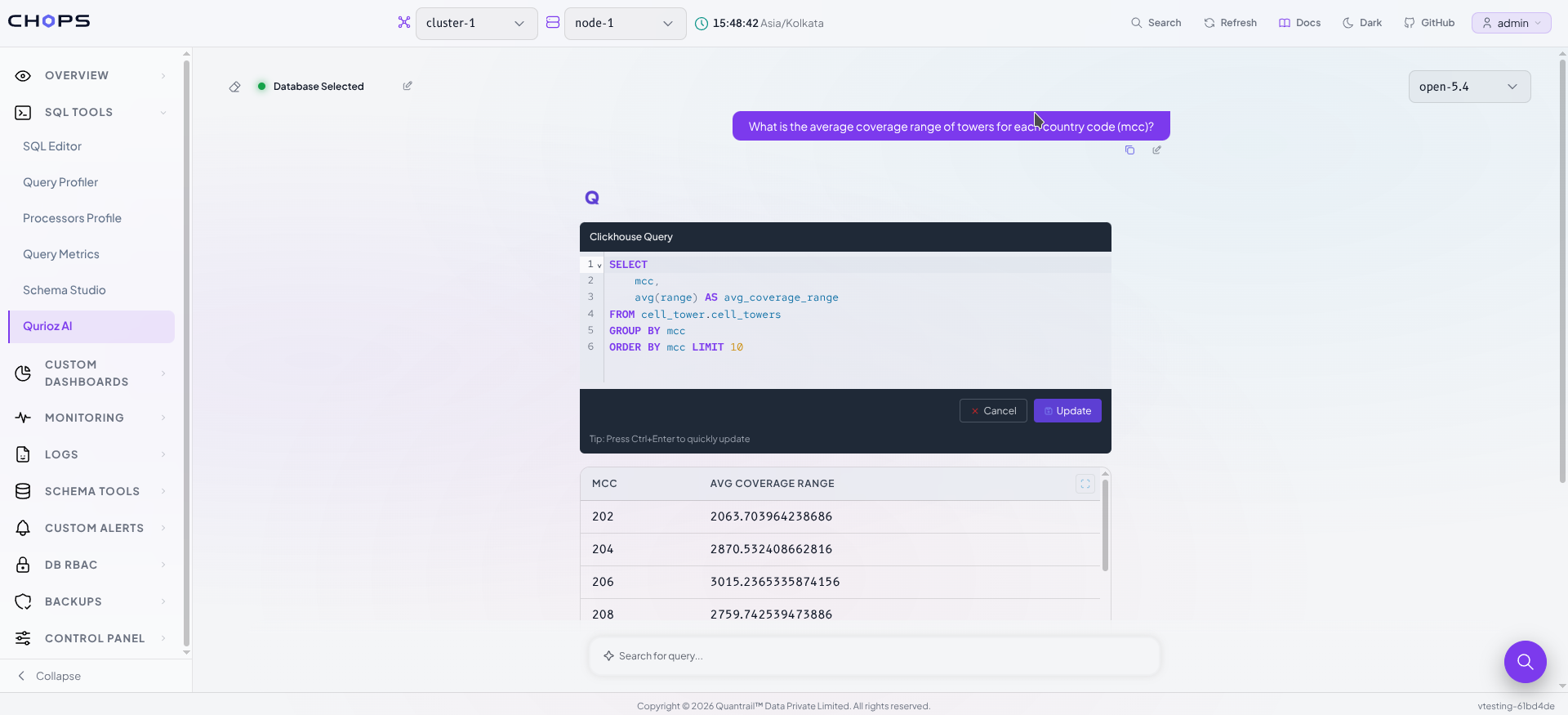
- Edit opens the SQL in an inline editor. Change what you want and press Update or
Ctrl+Enterto re-run it. Cancel backs out. - Copy puts the query on your clipboard for the SQL editor, a dashboard, or a code review.
- Hovering your own question reveals a pencil. Reword it, hit Enter, and Qurioz regenerates from the new phrasing usually faster than describing the fix in a follow-up message.
From result to chart to dashboard
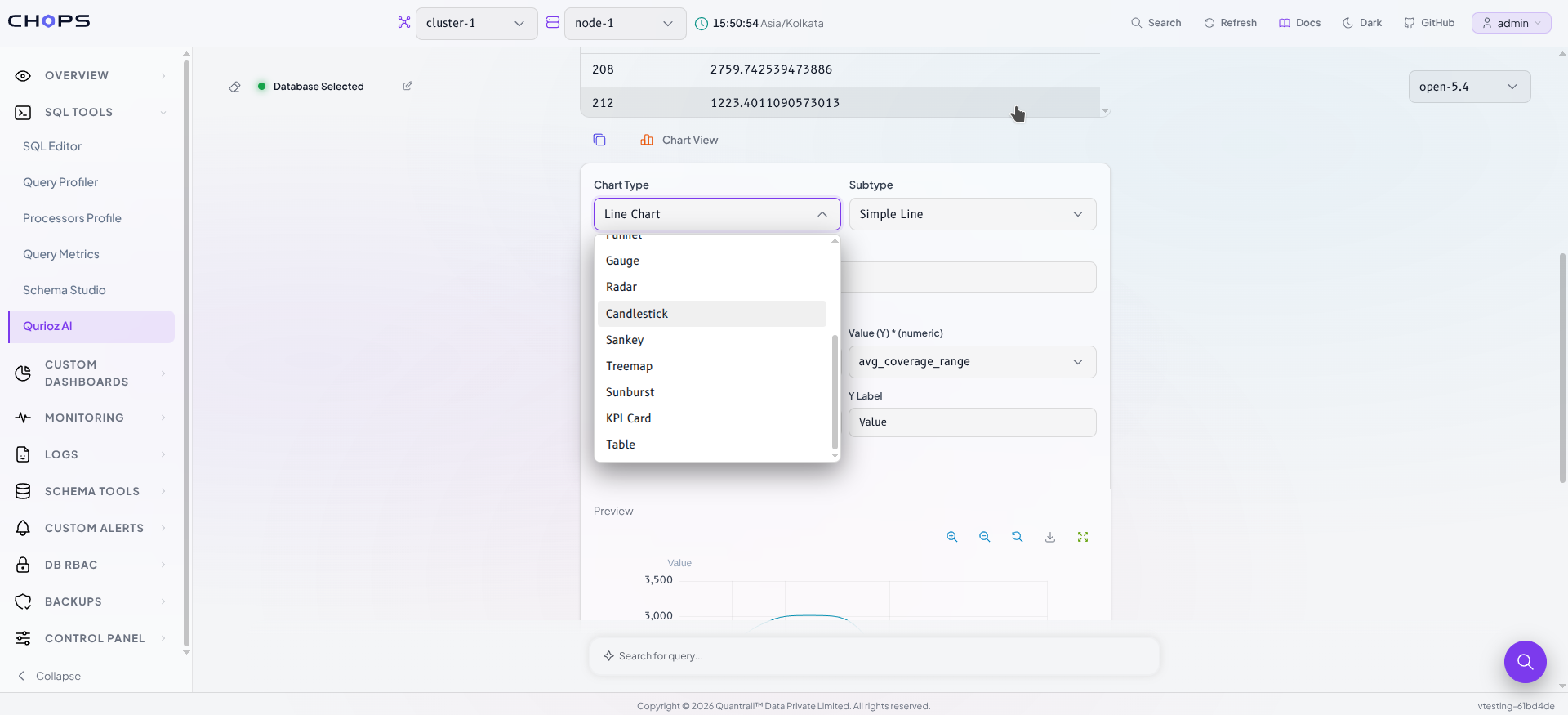
Once you have rows, Chart View turns them into a visualization. Pick a Chart Type and Subtype, map your columns to the axes, and watch the Preview update. Give it a name, choose a Dashboard, and Save the chart lands on that dashboard alongside everything else your team tracks.
Saving to a dashboard requires the editor role or above.
Questions that span several databases
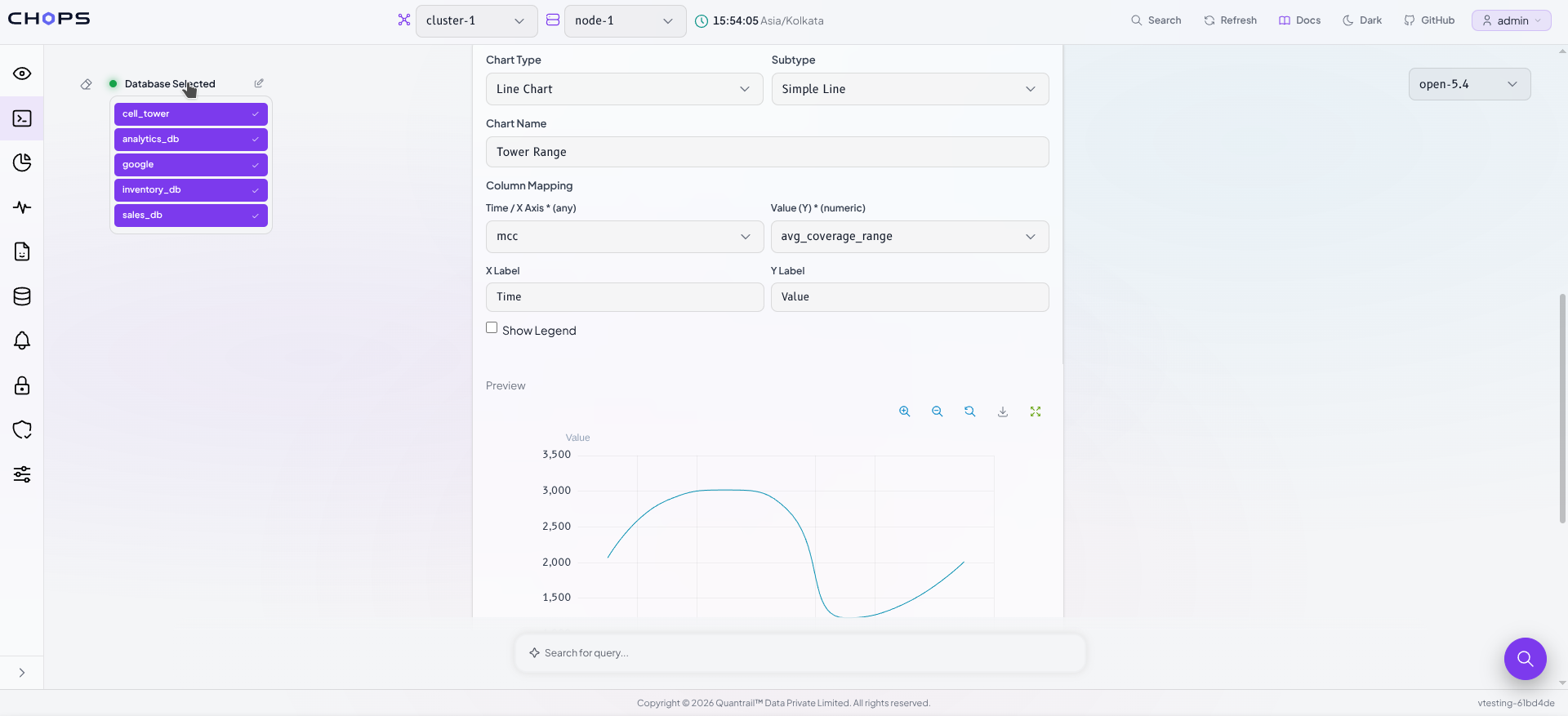
Analytics rarely respects database boundaries. If you've generated schemas for more than one database, hover the Database Selected pill and you'll get a list of them click to toggle each one in or out of the current question.
Everything toggled on is fair game for the same question, so Qurioz can reach across databases when the question calls for it, and stay narrowly focused when you'd rather it didn't wander.
What it can actually write
Qurioz isn't limited to SELECT * FROM one_table. It handles the shapes real analysis takes:
- Joins across tables, worked out from how your columns are named an
orders.customer_idmatched to acustomers.id. - Aggregations using ClickHouse®'s own idioms
countIfandsumIffor conditional counts,uniqfor fast approximate distincts,uniqExactwhen you need the exact number. - Window functions for rankings, running totals, and row-over-row comparisons.
- CTEs and subqueries when a question needs staging before the final answer.
FINALonReplacingMergeTreetables when you're asking about current state rather than raw history.
Every query comes back with a LIMIT 10 by default, so an exploratory question can't accidentally pull a billion rows. Ask for "top 5" or "limit 50" and it uses your number instead.
One honest caveat: Qurioz gives you a well-formed starting query, not a guaranteed-correct one. It's working from your schema, not from knowledge of what your columns mean in your business. Read the SQL before you trust the number the query is right there above the results precisely so you can.
If a question is genuinely ambiguous two equally plausible tables, no sensible way to join them Qurioz says so instead of inventing a join and handing you a confidently wrong answer.
Your data and your choice of model
Worth being precise about, because it's the question every data team asks first.
The embedding and retrieval run locally. The step that writes the SQL does not: your question and the relevant table and column definitions are sent to whichever AI provider you configured. Table names, column names, and types not your row data.
If that's more than your compliance posture allows, use Ollama. Point Qurioz at a model running on your own infrastructure and nothing leaves your network at any stage.
On the safety side, Qurioz generates read-only queries. Ask it to drop a table, truncate, or update rows and it declines it's built to answer questions, not to change your data.
Conclusion
Qurioz makes working with ClickHouse® data faster, simpler, and more accessible. Ask questions in plain language and get ready-to-run SQL based on your actual schema. You can review, edit, visualize, and save results without leaving CHOps. It helps teams spend less time searching through schemas and more time finding answers. With Qurioz, your ClickHouse® data is only a question away.
References
Qurioz ships with CHOps, the ClickHouse® administration and monitoring dashboard from Quantrail™ Data.
- Installation Guide: CH-Ops Installation Guide
- Website: ch-ops.io
- Docs: ch-ops.io/docs see the Qurioz AI guide under SQL Tools, and AI API Keys for provider setup
- GitHub: Quantrail-Data/CH-Ops
If your team spends more time remembering schemas than asking questions, this is the part of the workflow we built Qurioz to delete.